
I've built digital properties for nearly twenty years. A vast majority of them are using WordPress. At ALT Media Brands, we managed over 15 digital magazines across niches such as marketing, business, finance, and entertainment. Competico, the digital marketing agency, was entirely built on WP, as is MonetizeBetter.
But since I have never owned a personal website. That gap bothered me more as I got older. Not in a vanity way, but rather strategically (and you will see soon why exactly).
I started DanielStanica.com with one specific goal: to strengthen my personal brand and the Knowledge Panel claim.
Why Your Domain Name and Website Matter
Your personal website isn't optional if you're looking to build a professional authority. Social media like LinkedIn, Facebook, and even YouTube are rented audiences that can go overnight when you get deplatformed, shadow-banned, or the algorithm changes visibility parameters. Medium is someone else's property. None of those are owned audiences that compound results for you.
On the other hand, your own domain name is different. It has ranked well on Google for years, and LLMs cite it. It should become the hub of your personal brand, where everything is connected and from which everything radiates. Speaking bios references, Press mentions. Every link, mention, or citation feeds your domain authority and your brand entity.
More importantly, it's yours. You build on your own land, so the authority doesn't migrate to another platform. When algorithms shift, your site is still there.
For anyone building serious professional authority, this is foundational.
Further reading: Do You Need a Personal Website in 2026? 10 Reasons To Answer Yes
Why I chose EmDash CMS over WordPress
From a publishing and marketing perspective, I know WordPress inside out. It is a good candidate, but it needs workarounds if you build for the future alongside AI tools.
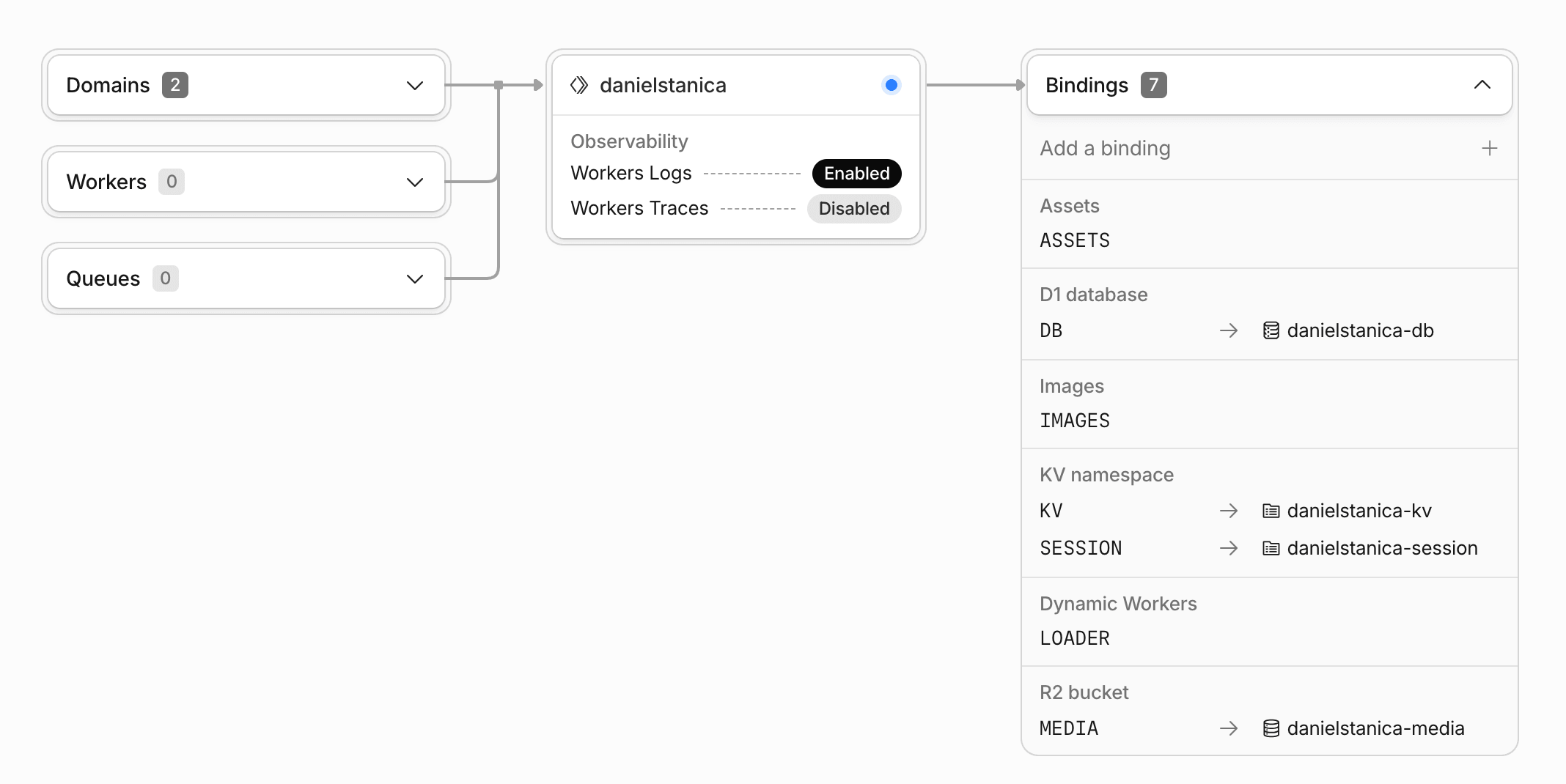
That’s why EmDash CMS caught my attention: it lets you publish, host, and own everything without spending mental energy on infrastructure. In my case, Cloudflare workers for compute, and D1 for the database.
What I dont like about WordPress
While I don’t want to start a discussion of which CMS is better, I still want to emphasize what I dislike about WordPress. And I am not the only one; Joost de Valk recently wrote an article explaining why, in his opinion, WordPress needs to refactor, not redecorate.
Here are my grudges against WordPress:
- WP is bloated with features and backward compatibility built over the last 15 years that made sense for the blog era, but are completely useless now. Think: post-by-email, ping services, media storage, thumbnail generation, trackbacks, and XML-RPC are no longer useful today.
- You need to install plugins (both FREE and paid) for basic functionalities that are standard nowadays: custom content types, image optimization, caching, SEO (schema.org, indexation, meta description), security, AI integration, etc.
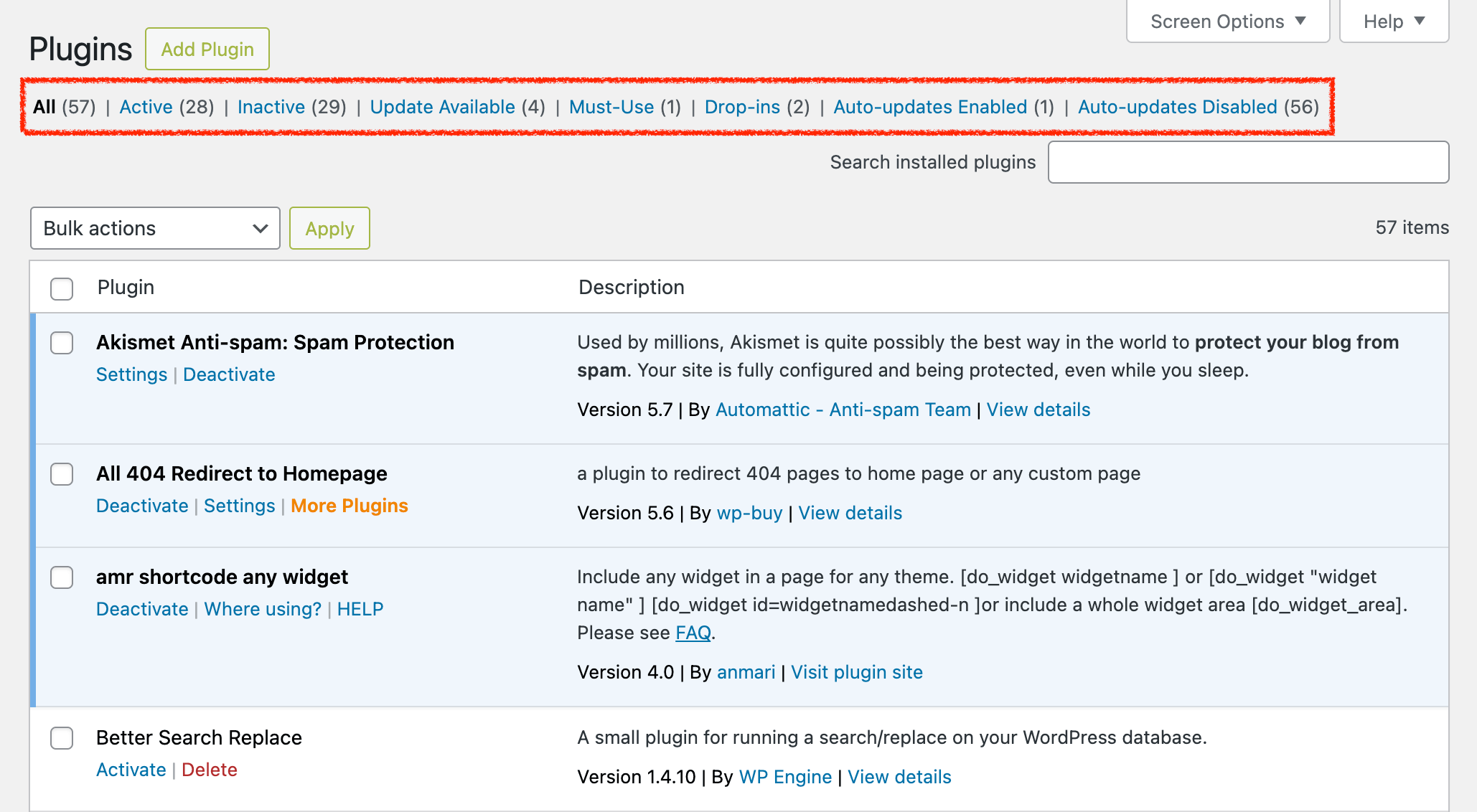
- Security risks at the theme and plugin levels that could compromise the entire website. To be protected, you need to install brute-force protection, a firewall, site-scanning plugins, and more.
- Guttenberg is still sketchy and difficult to use for advanced, pixel-perfect designs. Also, it is difficult to import designs done elsewhere, for instance, AI tools. Installing other editors like Elementor or WPBakery adds unnecessary load.
- In the admin area, most content actions (post, edit, update) require a page refresh and reload, which is time-consuming when you edit large sections of content or perform intensive content work.
- While installation, deployment, and maintenance are quite straightforward, they still add layers of complexity and extra costs.
- It’s not AI tools ready. I like to deploy, maintain, and update with AI rather than manually.
Don’t get me wrong. WordPress still serves a large portion of the web well, and it’s doing it fine. But I want something better than just fine.
And I want to step out of the comfort zone of PHP and WordPress and work with new technologies like GitHub (it’s still quite new to me, as I’m not a dev), Cloudflare Workers, etc.
What I Like About Emdash:
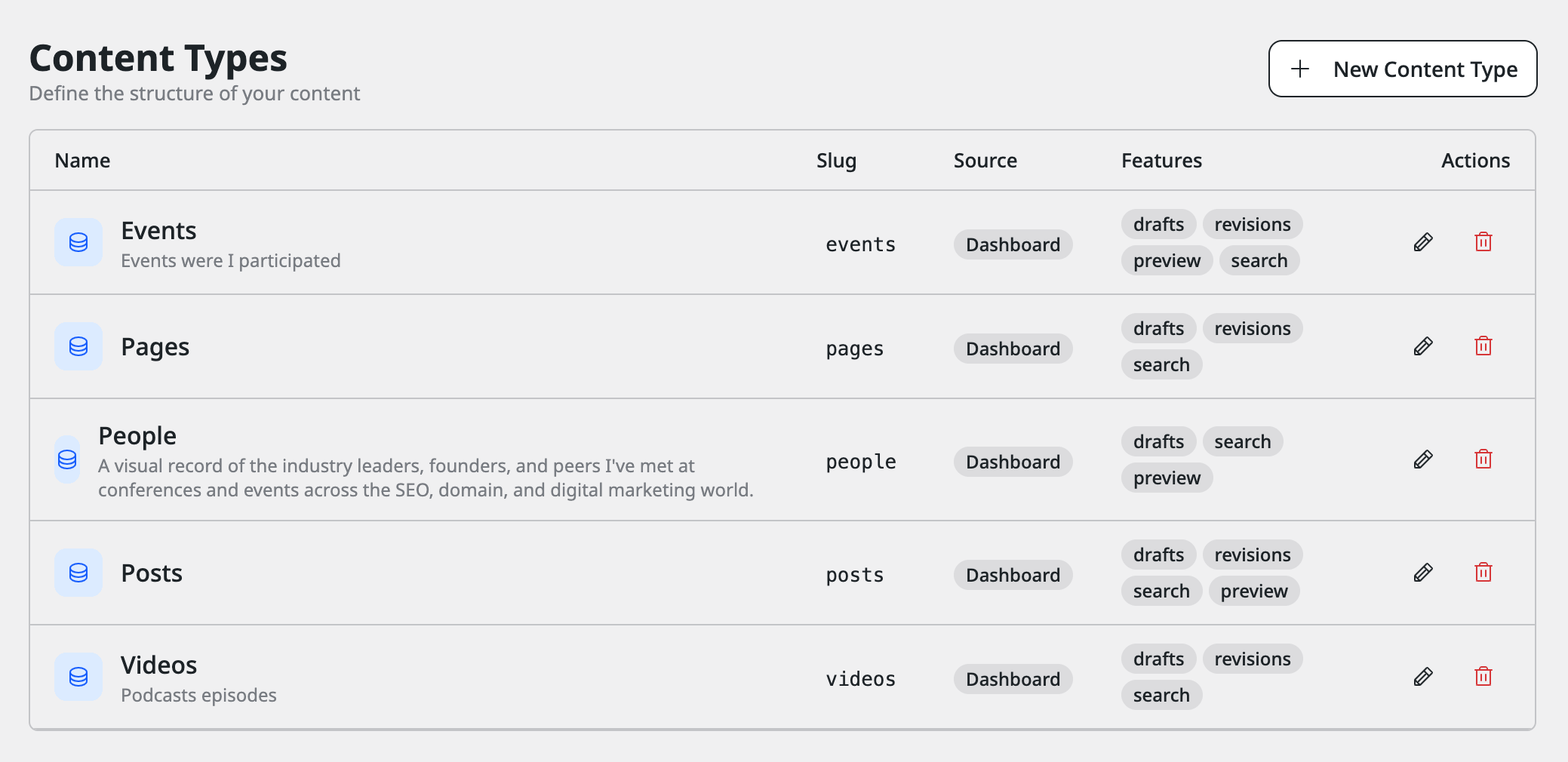
• Content types are native, not plugin-dependent. You define Posts, Videos, Events, and People directly in the admin with custom fields (event dates, locations, photo placement). They live in separate database tables. No plugin bloat, no dependency hell. This was crucial to my entity strategy as I needed a different schema for each content type.
• Multiple Bylines and authors support. For a personal website, that’s not really useful; for a magazine or review website with multiple authors working together on content, it’s mandatory and requires workarounds in WordPress. In EmDash, you can even have guest co-authors.
The API handles everything. Most CMS actions are handled via the API rather than page reloads. Save a post, add a person, update fields, it's fast and doesn't feel clunky. For someone who works with AI agents and wants to integrate with external tools, this is a real advantage.
• Security model is explicit. Unlike WordPress, where a compromised plugin can nuke your entire site, Emdash plugins have declared permissions. If something gets compromised, the blast radius is limited. That matters when you're hosting entity data and Knowledge Panel signals.
• The template system doesn't fight you. Base layout file, then specific templates for custom types. Straightforward. You can customize without fighting framework abstraction. For someone who understands HTML and CSS, it's genuinely pleasant.
• Built-in schema.org support. Not perfect, but it's there at the CMS level, not as an afterthought plugin. That was non-negotiable for my Knowledge Panel strategy. I needed structured data baked into the platform.
• Cloudflare integration is seamless. Workers deployment, D1 database, and CDN all work together. No vendor juggling. Fast renders (sub-100ms globally). Costs scale with actual usage, not based on some arbitrary tier.
• MCP server for AI integration. Emdash exposes an MCP (Model Context Protocol) server, allowing AI agents to read and work with your content directly. I haven't fully implemented this yet, as I’m still learning, but it's there if you want to automate workflows.
Where Emdash Breaks Down:
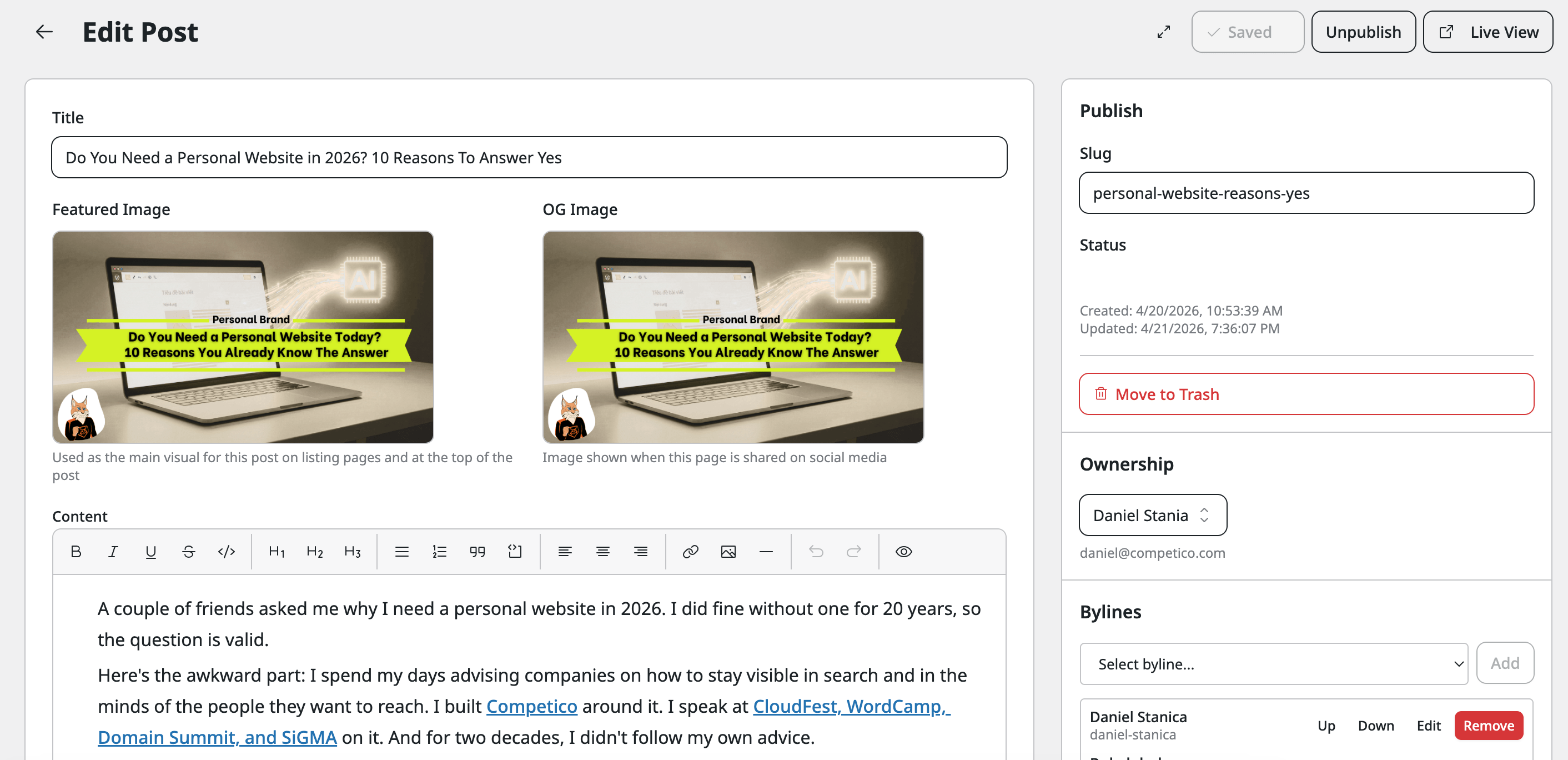
• The WYSIWYG editor is basic. No access to source code. It's block-based but very limited: headings, paragraphs, lists, images, code, links, and that’s pretty much it. If you're used to writing HTML or want fine-grained control, it can be really frustrating. I work around it by drafting in my text editor and pasting, but that's not ideal.
• Missing the WordPress plugin ecosystem. No native Yoast-style SEO optimization. No image optimization plugin. No multilanguage out of the box. No advanced form builders. No email automation. All things WordPress users take for granted.
• It's still buggy. I started on v0.1, we're at v0.7 now, and improvements have been real (deployment issues fixed, item ordering fixed), but there are still rough edges. Plugin sandbox crashes. Browser compatibility issues.
• Not production-ready for migration. If you're moving from WordPress with extensive customization, plugins, or large datasets, the converter will frustrate you. Better to start fresh than try to force legacy structure into Emdash's model.
• Documentation skews the developer. If you're not technical, you'll hit walls. There aren't many tutorials for beginners launching a full site from scratch. The community is forming, but it's small.
• No tier-1 SEO features yet. Emdash is planning improvements to AI visibility and SEO optimization in upcoming iterations, but right now, you're manually handling a lot that WordPress plugins handle automatically.
Why I Chose It Anyway:
For my specific goal of building a personal site that strengthens entity signals, these gaps are frustrating but not deal-breakers. I didn't need to be multilingual yet. I didn't need advanced form builders. I needed structured data, multiple content types, clean schema.org output, and no DevOps friction.
Emdash delivered on those. As the product matures, especially around SEO and AI visibility, it's going to be stronger.
Building the Website with EmDash CMS
I started experimenting with creating an Emdash's Brutal theme with a neobrutalist aesthetic. Cream, black, yellow accent. No visual noise. It already did what I needed aesthetically.
The modifications were minimal because I wasn't trying to win design awards. I needed someone landing on the site to understand immediately that it’s a presentation site for a specialist. This person publishes strategy content. This is a professional resource, not a personal blog.
The navigation needed to surface the four content types equally, which meant restructuring from the default blog layout. The about page needed to clearly state my fields (SEO, AI Visibility, and competitive intelligence) and the companies I work with.
Where I made mistakes early
- The author's byline wasn't rendering on posts. Emdash had the field in the admin, but I hadn't properly wired it into the theme template. Posts were being published without machine-readable author attribution. That's worse than not having the byline at all because LLMs would cite the domain without connecting the content to me. I eventually caught it, but it's the kind of thing that costs you if you don't check.
- The SVG icons for social media required disproportionate debugging. Safari rendered them at one size, Firefox wanted another, and Chrome was fine. Four lines of CSS solved it.
Working With AI: The Real Workflow
I work side by side with Claude on this site, not as a content generator but as a thinking partner, designer, and workflow accelerant.
Here's what that actually looks like:
- For schema.org markup, I have Claude generate the FAQPage structure and byline schema based on the post content. It's faster than writing it manually, and it's technically correct. I verify it, but the generation work is saved.
- Content briefs are where AI saves the most time. I'll give Claude a post title and my rough angle. Claude builds out the content structure: what sections make sense, what questions readers will have, and how to organize the argument. I use maybe 40-50% of what it suggests, modify the rest, but that initial scaffolding saves an hour of planning per post.
- The People collection research uses Claude, too. When I add someone new, I'll share their LinkedIn profile or website with Claude and ask for key details to highlight, such as their actual expertise, their network, and relevant achievements. I verify everything, but it accelerates the research phase. Schema.org for the People collection gets generated by Claude, too. I provide the person's details, Claude structures the schema correctly, and I verify and deploy.
The critical constraint I maintain: nothing goes live unless I've verified and edited it. Claude is a tool that speeds up my workflow, not a content factory. The site has my voice because I wrote it. AI accelerates execution, not ideation.
This matters for entity signals. Google can detect fully AI-generated content at this point. But this site has my content, my ideas, my vision, but accelerated by AI tools. There's a meaningful difference, especially for Knowledge Panel claims.
Content Architecture: Beyond Blog Posts
Most personal websites are mostly blogs. Most CMSes treat everything the same way, using the same template and metadata. That's fine if you're a writer, but it's insufficient if you're building entity authority.
As mentioned before, I structured the site around four content types because they serve different functions in the knowledge graph: Posts, Pages, Videos, People, and Events.
- Posts are long-form writing, such as guides, brand positioning essays, and frameworks I've developed. These will bring seo rankings—1,500 to 2,000 words. I publish maybe 1-2 per month. These compounds over time.
- Videos are conference talks, podcast appearances, and YouTube links. This becomes discoverable evidence of speaking authority. Google treats media differently from text. You can tag platform, date, and context. It builds a speaking portfolio that lives on a platform you control.
- Projects are work samples. Problem statement, approach, results. This is where client work visibility happens, as I’m not claiming expertise; I’m showing it.
- Events are time-sensitive listings that show what events I will participate in and which ones I’ve already attended.
- People are unconventional, and it's the most valuable collection I've built. Every industry professional I've met (and took a picture with) at major conferences gets a structured entry: photo, name, role, company, website, and the event where we connected.
The Future Focus on AI Visibility
Besides ranking in traditional Google search, there's a layer above that: whether LLMs like ChatGPT, Gemini, Grok, or PerplexityAI cite your content properly.
When someone asks Claude or ChatGPT about me or my work, I want my articles to appear. When they do, I want my name attached, not just the domain.
Clean semantic HTML is the baseline, and Emdash generates it by default: good heading hierarchy, proper link text, no div soup. But everyone does that now.
Schema.org markup is what sets you apart from the pack. Article schema for posts. FAQPage schema so LLMs can extract Q&A directly. Person schema for author information. Emdash handles some of this automatically, but you need to verify it's actually working.
Here's what I actually implement:
- Author bylines must be schema.org marked up. Not just visible text. Actual structured data with the author property. If your byline isn't in the schema, citations go to the domain, not to you. I verify this after every major template change.
- Alt text on images includes my name. When images get pulled into LLM responses, the alt text travels with them. "Do You Need a Personal Website in 2026? 10 Reasons Why The Answer Is Yes — by Daniel Stanica." Small signal. Signals compound.
- Title tags are written for LLMs, not just search snippets. Question form because that's how people query LLMs. Specific. First person. "Do I Need a Personal Website in 2026? 10 Reasons Yes" performs better for LLM citation than the headline alone.
- Meta descriptions are substantial. "A 20-year digital entrepreneur explains why owning a personal website in 2026 is no longer optional—especially for AI visibility, search, and identity." When an LLM cites you, they often pull this directly.
- FAQ blocks at the bottom of longer posts work better than people realize. "Do I need a personal website in 2026?" "How does a personal website help with AI visibility?" "Is LinkedIn enough without a personal site?" These get extracted as the FAQPage schema. LLMs quote them verbatim. If you structure the FAQ properly, your byline stays attached.
- Internal linking signals topical authority. Write about related topics and link them thematically. Not keyword-stuffed anchor text. Real conceptual connections. Google and LLMs both notice when you demonstrate coherent expertise across multiple pieces.
Most sites optimize for search rankings or LLM citations. Rarely both. You need both.
The Real Work
The technology was never the constraint. The real difficulty was committing to treating my personal website as a business asset rather than a side project.
Most people build a site and then abandon it. They publish 5 posts, see modest traffic, and move on to the next project. I built this with the assumption that I'd be publishing here for at least the next 5 years.
Publishing real work and consistently building the connections list. Keeping the changelog updated. Using this domain as the actual hub for everything else I do online.
The site isn't finished, and it will not be anytime soon. But it's alive, it's publishing, and it's building entity authority in ways I can track and influence.


No comments yet